Wow! Build your WhatsApp integration. Start free. Register Now
CTWA ads · WhatsApp API use case

WhatsApp ad click to CRM lead and first reply

The lead gets a first reply in the WhatsApp chat that came from the ad, because otherwise paid clicks wait until a human types. When someone clicks a Click-to-WhatsApp ad from Meta, your backend can write a Lead or Purchase and send that warmup through Whapi.Cloud. This use case shows integrators how to implement that flow through the WhatsApp API.

Inbound messages.post with context.ad Warmup body is ordinary chat text
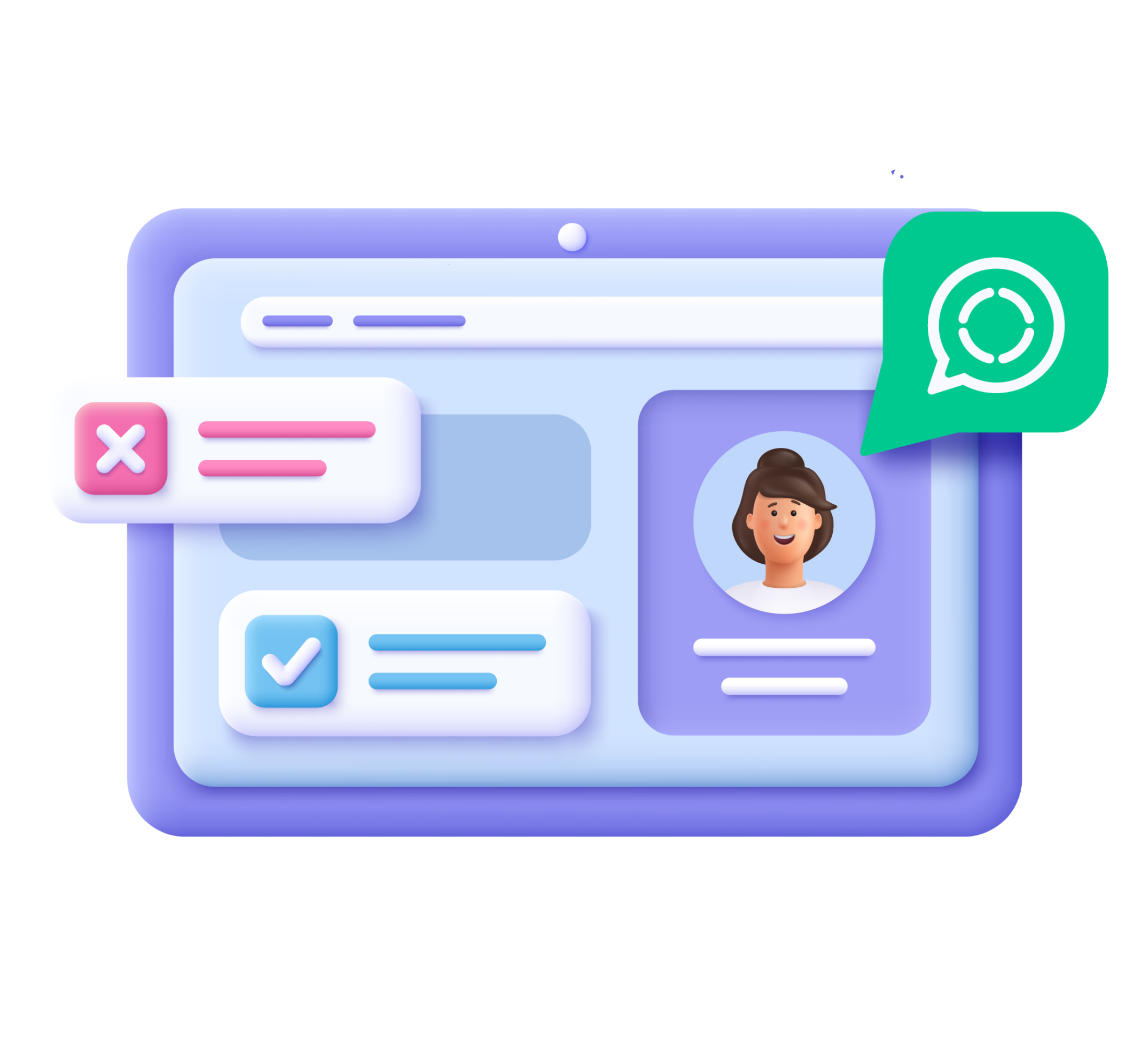
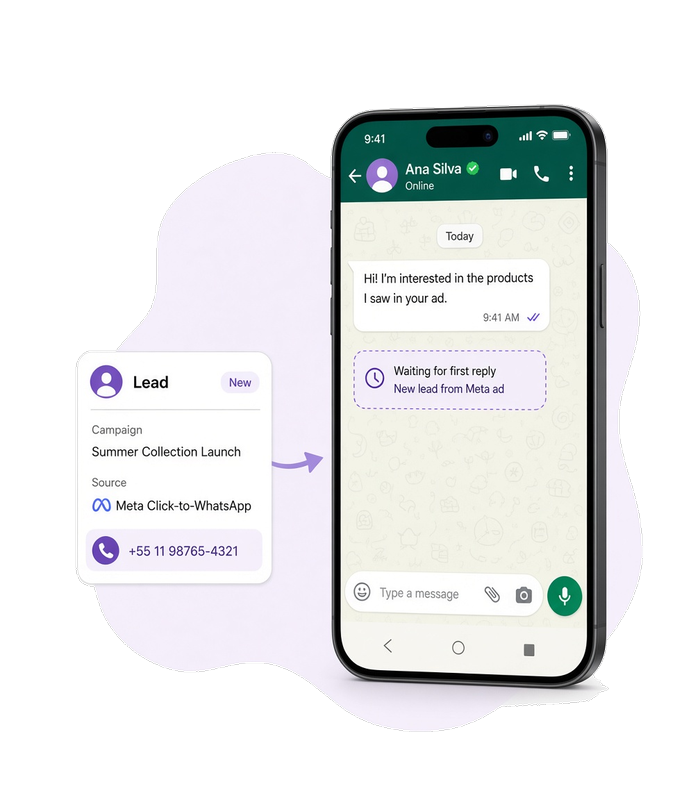
A Meta ad on a phone beside a WhatsApp chat waiting for a first reply, with a CRM lead card next to the thread.
Decorartive bubble
Use case

When to use this flow

The trigger is a Meta Click-to-WhatsApp click

Use this flow when the person reaches you by clicking a Click-to-WhatsApp ad from Meta, not when they typed the number by hand with no ad context.

The click must create a CRM record

Use this flow when the click must create a CRM record on your backend as a Lead or Purchase, not when you only keep the thread in WhatsApp.

The first reply stays in that personal chat

Use this flow when the warmup should appear in the same direct chat that the ad opened, not as qualifying questions, a group invite, or a HubSpot-outbound send.

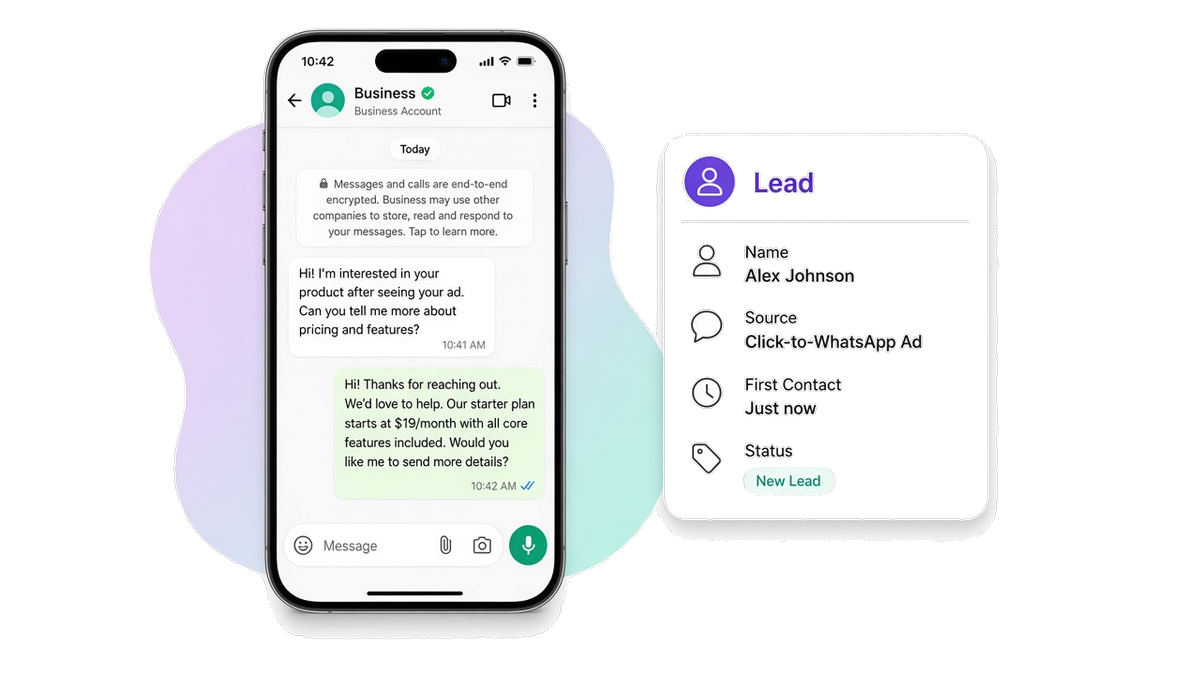
A phone screen showing a WhatsApp chat where the lead just received a first reply after tapping a Click-to-WhatsApp ad, with a CRM card beside it marked Lead.
Customer experience

The lead gets a first reply after the ad

Before automation, the chat sits empty after the ad tap until a rep types, and sales never sees the click in the CRM.

After the flow runs, the lead sees a warmup in that WhatsApp chat and the team has a Lead or Purchase on the CRM card. Integrators build this result with the WhatsApp API.

Workflow

From ad click to first reply

1

Meta Click-to-WhatsApp ad click

Someone clicks a Click-to-WhatsApp ad from Meta and the inbound chat hits your channel. The messages.post payload carries context.ad and optional context.conversion. Your backend writes the Lead or Purchase to the CRM from that payload. Whapi.Cloud does not host the CRM.

2

Send the warmup message

POST /messages/text

sendMessageText sends the warmup body your backend chose into the same personal chat. Put the sender phone or chat id from the webhook in to.

Need delivery tracking? If the warmup stays pending, it was not delivered. Later changes arrive on statuses.post and statuses.put. Learn about delivery status →

Prerequisites

Before you run the flow

Connect the WhatsApp number that receives those ad chats, and authenticate every request with that number's API token. CRM mapping and warmup copy stay in your backend.

Optional — go deeper for this flow

API implementation

The call that sends the warmup

Your backend already read the ad-attributed inbound and wrote the CRM event. This call delivers the warmup text into the same personal chat.

Get your API token for free after you register on whapi.cloud, and use that token in the code instead of Your_Token from the examples.

Send the warmup message

Send the warmup text after the Meta Click-to-WhatsApp inbound lands.

curl --request POST \
     --url https://gate.whapi.cloud/messages/text \
     --header 'accept: application/json' \
     --header 'authorization: Bearer Your_Token' \
     --header 'content-type: application/json' \
     --data '
{
  "to": "15052462002",
  "body": "Hello"
}
'
$curl = curl_init();

curl_setopt_array($curl, [
  CURLOPT_URL => "https://gate.whapi.cloud/messages/text",
  CURLOPT_RETURNTRANSFER => true,
  CURLOPT_CUSTOMREQUEST => "POST",
  CURLOPT_POSTFIELDS => "{  \"to\": \"15052462002\",  \"body\": \"Hello\"}",
  CURLOPT_HTTPHEADER => [
    "accept: application/json",
    "authorization: Bearer Your_Token",
    "content-type: application/json"
  ],
]);

$response = curl_exec($curl);
curl_close($curl);
echo $response;
import requests

url = "https://gate.whapi.cloud/messages/text"
payload = {"to": "15052462002", "body": "Hello"}
headers = {
    "accept": "application/json",
    "authorization": "Bearer Your_Token",
    "content-type": "application/json"
}

response = requests.request("POST", url, json=payload, headers=headers)
print(response.text)
const response = await fetch("https://gate.whapi.cloud/messages/text", {
  method: "POST",
  headers: {
    accept: "application/json",
    authorization: "Bearer Your_Token",
    "content-type": "application/json"
  },
  body: JSON.stringify({ to: "15052462002", body: "Hello" })
});

console.log(await response.text());
OkHttpClient client = new OkHttpClient();

MediaType mediaType = MediaType.parse("application/json");
RequestBody body = RequestBody.create(mediaType, "{  \"to\": \"15052462002\",  \"body\": \"Hello\"}");
Request request = new Request.Builder()
  .url("https://gate.whapi.cloud/messages/text")
  .method("POST", body)
  .addHeader("accept", "application/json")
  .addHeader("authorization", "Bearer Your_Token")
  .addHeader("content-type", "application/json")
  .build();

Response response = client.newCall(request).execute();
using RestSharp;

var options = new RestClientOptions("https://gate.whapi.cloud/messages/text");
var client = new RestClient(options);
var request = new RestRequest("");
request.AddHeader("accept", "application/json");
request.AddHeader("authorization", "Bearer Your_Token");
request.AddHeader("content-type", "application/json");
request.AddJsonBody(new { to = "15052462002", body = "Hello" });
var response = await client.ExecuteAsync(request);

Console.WriteLine("{0}", response.Content);
package main

import (
	"bytes"
	"fmt"
	"io"
	"net/http"
)

func main() {
	body := []byte(`{
  "to": "15052462002",
  "body": "Hello"
}`)
	req, _ := http.NewRequest("POST", "https://gate.whapi.cloud/messages/text", bytes.NewReader(body))
	req.Header.Set("accept", "application/json")
	req.Header.Set("authorization", "Bearer Your_Token")
	req.Header.Set("content-type", "application/json")

	res, _ := http.DefaultClient.Do(req)
	defer res.Body.Close()
	out, _ := io.ReadAll(res.Body)
	fmt.Println(string(out))
}
Delivery

See when the warmup arrives

A successful send response does not mean the lead already has the warmup. The first status visible before a webhook is pending. Later status changes arrive only on statuses.post and statuses.put. If the status stays pending and does not move to sent, delivered, or a later ack, the message was not delivered. Check the payload and the account's permission to send that type.

  • A status that stays pending means the warmup was not delivered.

  • Watch statuses.post and statuses.put for sent, delivered, and read.

  • Do not treat the click as warmed until the warmup moves past pending or the lead replies.

What to read on delivery and webhooks

Contact our support if something went wrong
When things break

Handle failures at each step

If messages.post arrives without usable context.ad or context.conversion, sendMessageText is rejected or not delivered, or the CRM write on your backend fails, retry or alert and do not treat the click as warmed or recorded.

The ad click landed, but nothing was recorded?

Keep the CRM write on your backend separate from WhatsApp delivery. If ad context is missing, skip the send and alert. If the warmup fails, retry sendMessageText or alert the team, and do not mark the click as a Lead or Purchase. If the send still fails after a retry, contact Whapi support with the channel id and the failed request id.

Contact our support if something went wrong

Troubleshoot by API step

Status What it means What to do
200 Created
400 Wrong request parameters
401 Need channel authorization for send message
402 Trial version limit exceeded
403 It is forbidden to send to this group/recipient
413 Request body too large
429 Too many requests
500 Internal Error
FAQ

Questions about ad leads

No. This flow writes a CRM Lead or Purchase and sends a warmup. Qualifying questions in the ad chat are a different branch.
No. Your backend chooses Lead or Purchase and writes the CRM record. Whapi.Cloud delivers the inbound ad context and the warmup send.
Attribution is present when the ad click results in a message and ad fields are on that inbound. If context.ad is missing, retry or alert and do not treat the click as recorded.
No. HubSpot-outbound WhatsApp starts from a CRM event. This flow starts from a Meta Click-to-WhatsApp click.
No. Catalog order items are a different source. Here Purchase is the CRM event your backend writes after the ad-attributed chat.
Supported WhatsApp Features

Everything you need to build WhatsApp automation

Whapi.Cloud gives you access to a complete set of WhatsApp features — messaging, media, groups, channels, webhooks and more. Build bots, automations and integrations without feature limitations.

Chosen by developers

Trusted by 3,300+ developers and SaaS teams

Developers worldwide rely on Whapi.Cloud to build automations, bots, CRM integrations, bulk messaging tools and advanced WhatsApp workflows. Our infrastructure processes millions of API requests with high stability — and grows every month.

Icon of feature

5,5K+

active API channels

Icon of feature

21M+

API requests processed monthly

“Everything is simple, intuitive and easy to navigate. The docs are clear, and all the info I need is right on the screen. Great job.”

roberto k. / Web Developer

“We connected WhatsApp to our workflows using n8n in just a few minutes. No code, no complications- everything worked on the first try.”

Martin p. / Developer

“Whapi.Cloud became a key part of our customer communication. We automated product updates, order notifications and support messages without needing Meta templates or approvals”

Oscar T. / CTO

Decorative bubble